
Canvas GIS Advanced9.0.4 - Download
You'll be able to download in few seconds.
Publisher Description
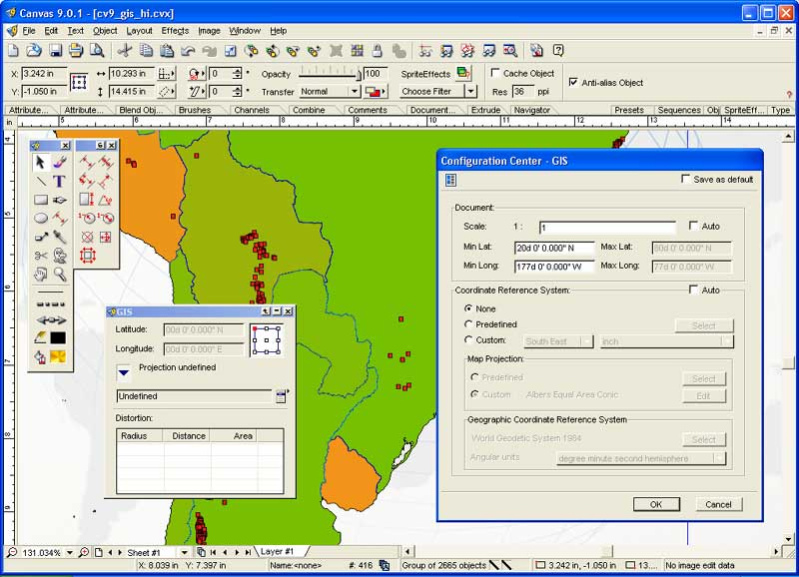
The CANVAS 9 Advanced GIS Mapping Edition adds native support for Geographic Information System (GIS) data to Canvas. You can take measurements in geographic coordinates, import industry standard SHAPE and GeoTIFF files into unlimited numbers of automatically aligned overlapping layers and choose among the following options:
2,104 Coordinate Reference Systems
67 Operation Methods (like Mercator, Albers Conic Equal Area)
1,052 Map Projections
302 Geodetic Datums
21 Angular units
45 Length units
The CANVAS 9 Advanced GIS Mapping Edition bridges the gap between dedicated GIS analysis software and generic DTP software. For many applications CANVAS 9 GIS Mapping Edition can now replace programs costing thousands. For the rest, CANVAS 9 GIS Mapping Edition is now the preferred last mile publishing companion to dedicated GIS analysis software.Files Supported include:
oMapInfo, oARC/INFO, oUSGS, Digital Line Graphs, oTIGER(Census), oMrSID (Win. only), oGML (Geography Markup Language), oSDTS (USGS Spatial Data Transfer Standard), oGIS Text oGarmin (GPS), oECW (Enhanced Compressed Wavelet Images, oS57 (IHO International Hydrographic Organization)
About Canvas GIS Advanced
This program is available in English. It was last updated on 29 September, 2026. Canvas GIS Advanced is compatible with the following operating systems: Windows.
The company that develops Canvas GIS Advanced is ACD Systems. The latest version released by its developer is 9.0.4.
The download we have available for Canvas GIS Advanced has a file size of 56.6 MB. Just click the green Download button above to start the downloading process. The program is listed on our website since 2004-04-30 and was downloaded 0 times. We have already checked if the download link is safe, however for your own protection we recommend that you scan the downloaded software with your antivirus. Your antivirus may detect the Canvas GIS Advanced as malware if the download link is broken.
How to install Canvas GIS Advanced on your Windows device:
- Click on the Download button on our website. This will start the download from the website of the developer.
- Once the Canvas GIS Advanced is downloaded click on it to start the setup process (assuming you are on a desktop computer).
- When the installation is finished you should be able to see and run the program.
Program Details
System requirements
Download information
Pricing
Version History
version 9.0.4
posted on 2004-04-30
Expanded GIS platform support, enables you to read & write in various Geo-Science formats
Disclaimer
External Download
We do not host Canvas GIS Advanced on our servers. We did not scan it for viruses, adware, spyware or other type of malware. This app is hosted by the software publisher and passed their terms and conditions to be listed there. We recommend caution when installing it.
The external download link for Canvas GIS Advanced is provided to you by apps112.com without any warranties, representations or guarantees of any kind, so access it at your own risk.
If you have questions regarding this particular app contact the publisher directly. For questions about the functionalities of apps112.com contact us.
